
LangReels Language Learning App
AI-powered TikTok-style language learning platform that transforms user-generated videos into interactive learning experiences. Combines Social Learning Theory with advanced AI to make authentic cultural exchange the foundation of language acquisition.
LangReels AI
| Role | Stack | Status |
|---|---|---|
| Solo builder: product, architecture, and implementation | Flutter · Firebase · AWS · Google Cloud | Proof of Concept |


Watch the demo:
The Problem
Language learning apps are built around structured curricula — flashcards, grammar drills, vocabulary lists. These build foundational knowledge but fail at the thing that actually makes people fluent: exposure to natural, unscripted language used in real cultural contexts.
With 1.5 billion people actively learning a second language, the gap between “knowing vocabulary” and “understanding a real conversation” remains stubbornly wide. Authentic native-speaker content exists in abundance — but it’s inaccessible to learners. Too fast, no subtitles, no way to pause on a specific phrase and study it.
LangReels removes that friction. Creators record short natural videos in their own language. The AI pipeline does everything else.
The Solution
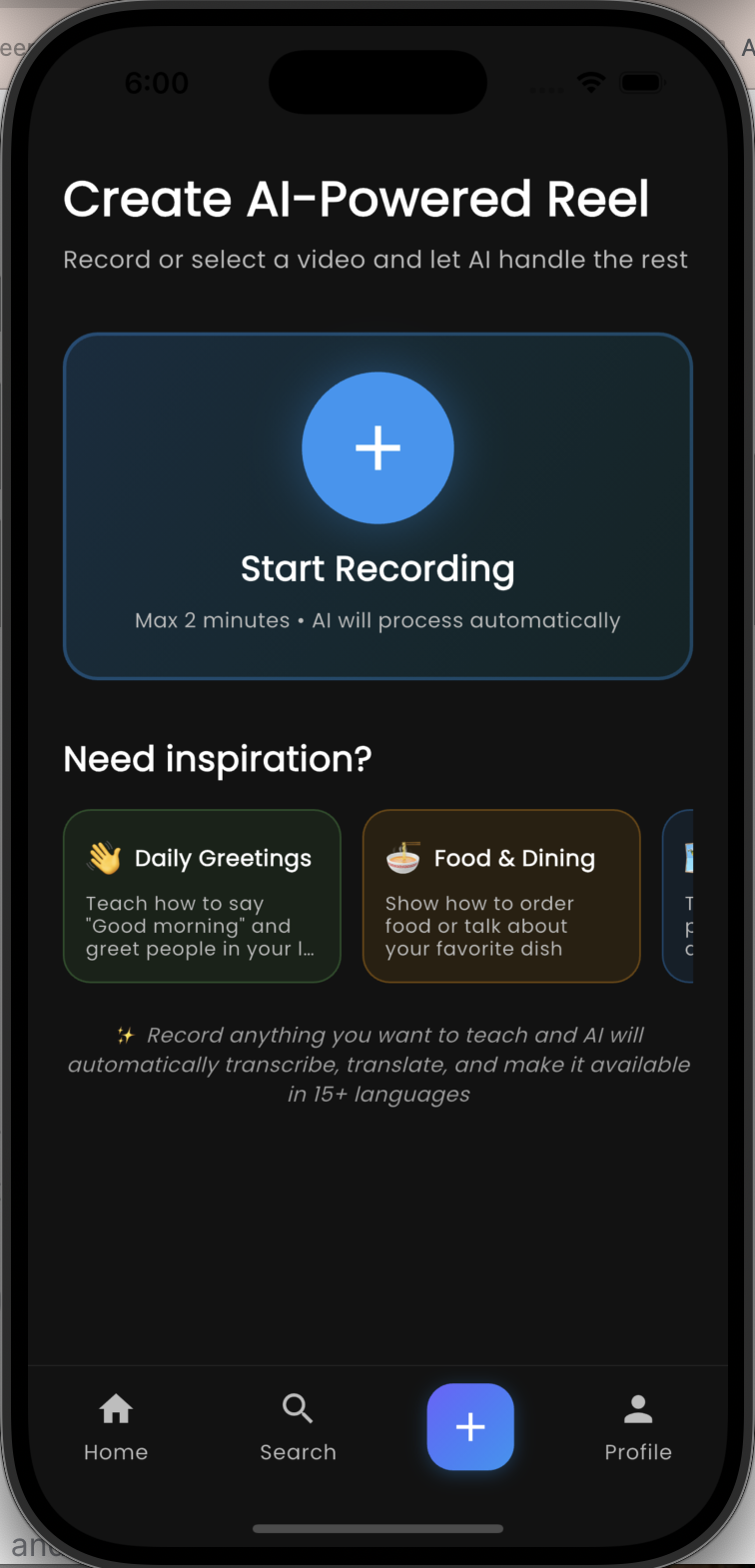
A creator records a video (up to 2 minutes). Within 3 minutes, that video is:
- Transcribed in the original language with word-level and sentence-level timing
- Translated into 15 languages simultaneously
- Published to a social feed with two distinct viewing modes
No manual transcription. No manual translation. No editing. The pipeline is fully automated.
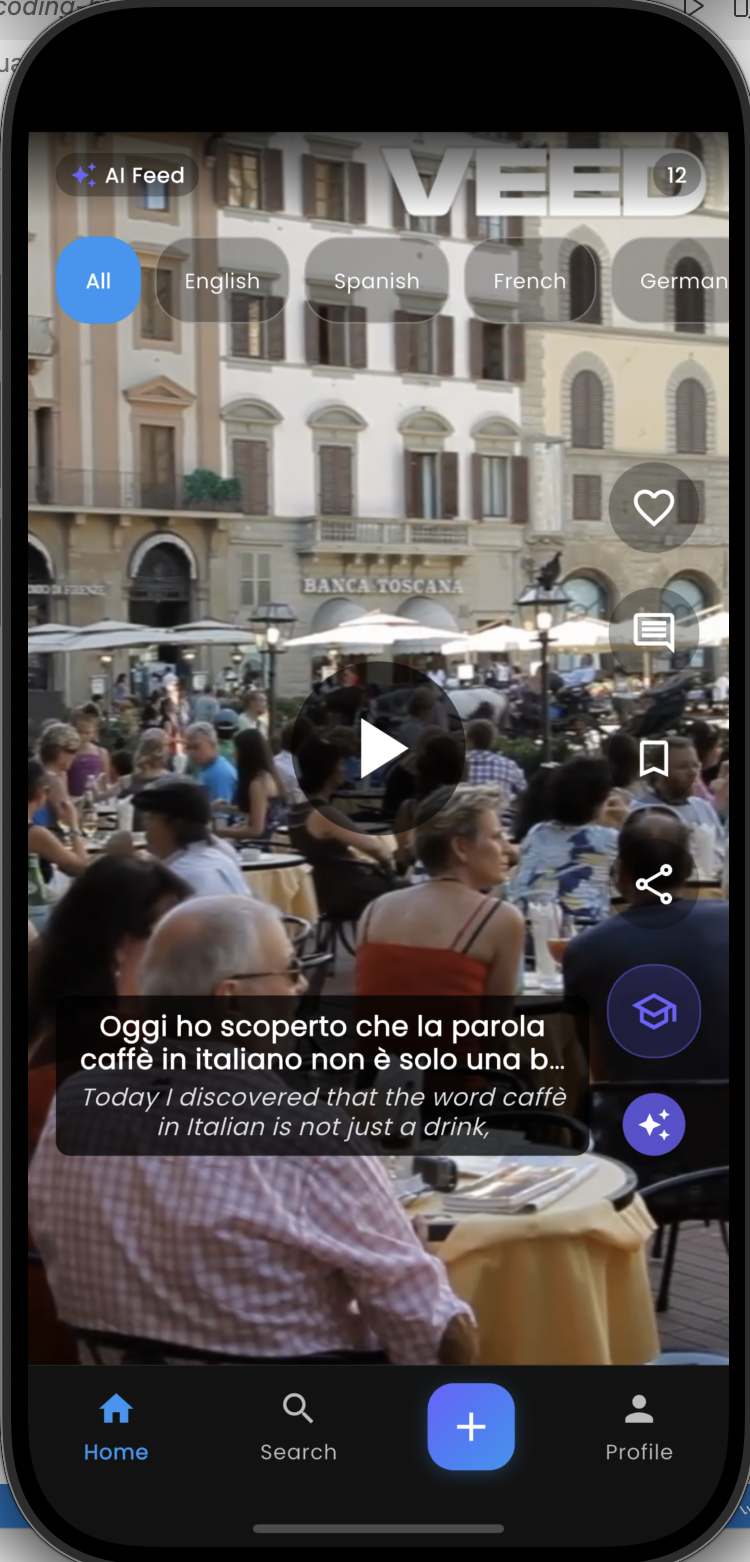
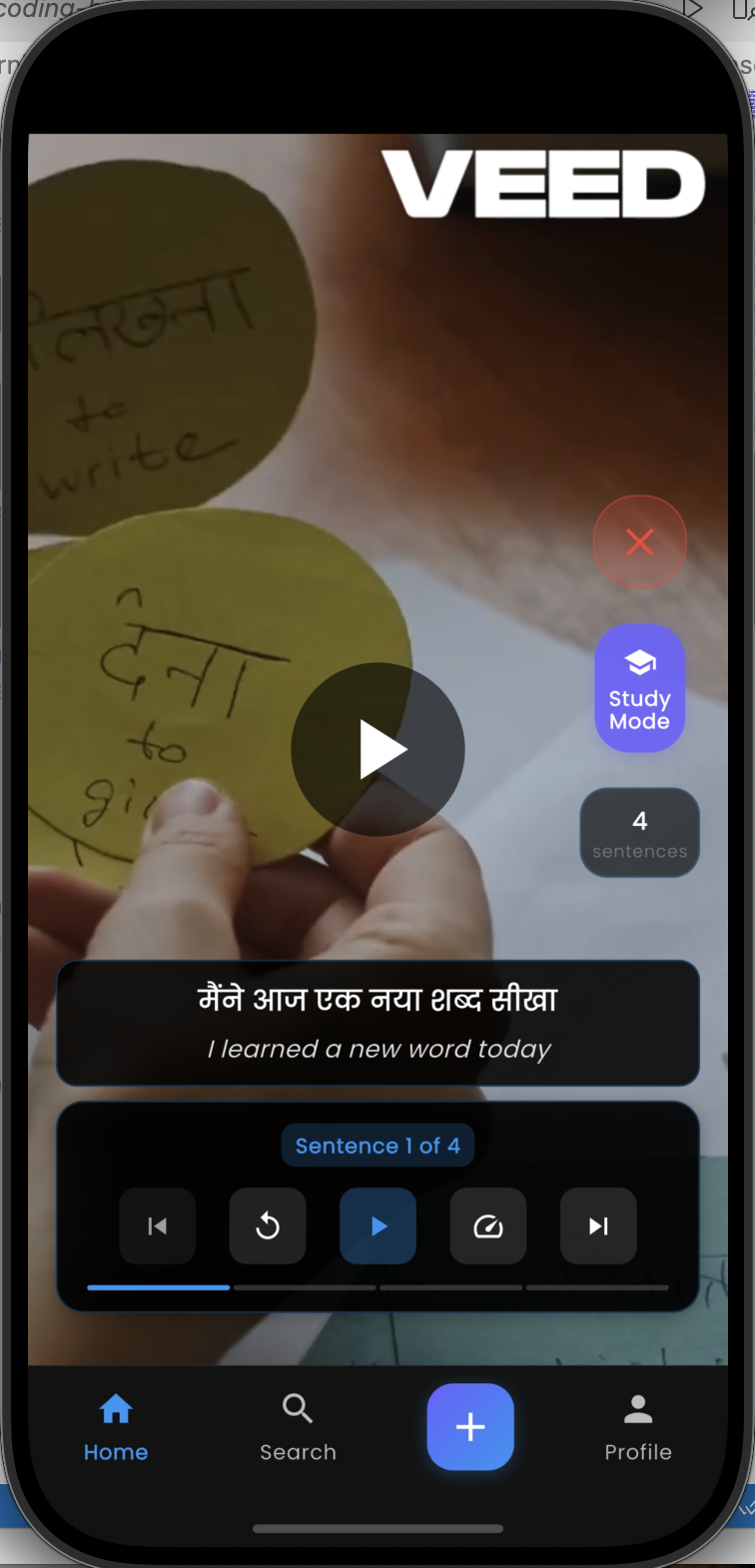
Two Viewing Modes on the Same Video
The core product insight is that language learning has two distinct states — passive acquisition and active study — and the same content should serve both without forcing the user to choose upfront.
Normal mode (passive watching) Subtitles appear word-by-word, synchronised at the millisecond level. Each word lights up at the exact moment it’s spoken — karaoke-style. The learner picks any of the 15 supported languages for subtitles and can switch languages mid-playback. No reload, no re-fetch — all 15 translations are pre-loaded.
Study mode (active learning) The video pauses at sentence boundaries. The learner sees the full sentence, can replay it, navigate to the previous or next sentence, and read it in any language. This turns a 30-second clip into a structured micro-lesson.
Switching between modes is instant because both data sets — word-level timing and sentence-level timing — are stored separately in Firestore and loaded together when the reel opens.
The Technical Pipeline
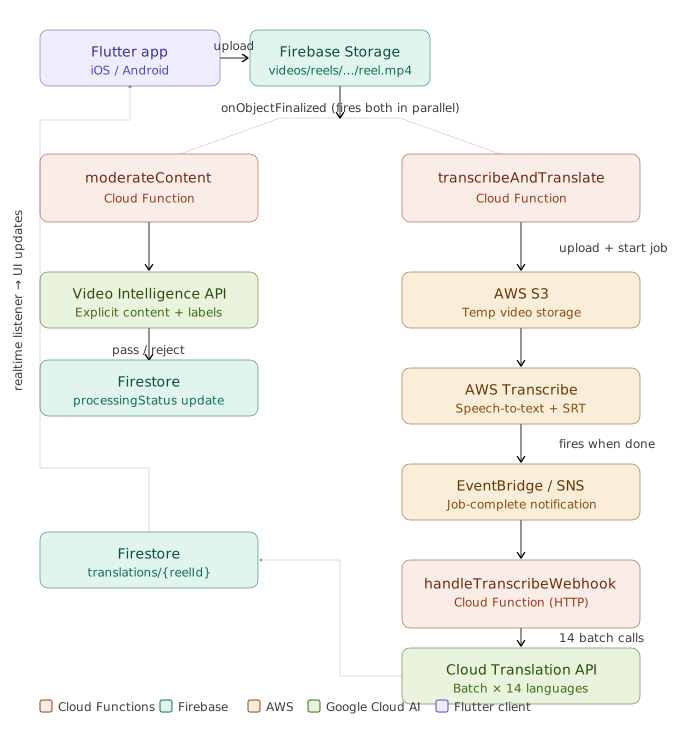
The moment a video lands in Firebase Storage, two Cloud Functions trigger in parallel:
Content moderation — Google Video Intelligence API scans for explicit content using frame-level detection and segment-level label analysis. Rejected content never reaches transcription.
Transcription (event-driven) — This is where the architecture gets interesting. AWS Transcribe jobs take 1–3 minutes. Holding a Cloud Function open to poll AWS would be expensive and fragile — Firebase Functions have a maximum 9-minute timeout and polling is wasteful.
The solution splits the work across two functions using AWS EventBridge as a callback:
transcribeAndTranslateuploads the video to S3, starts an AWS Transcribe job with automatic language detection across 15 language codes, stores job metadata in Firestore, and exits in ~10 seconds- AWS Transcribe runs independently in the background
- When the job completes, EventBridge fires → SNS topic → HTTP POST to
handleTranscribeWebhook - The webhook retrieves the transcript JSON and SRT file from S3, parses word-level timing and sentence boundaries, and hands off to translation
Translation (batch approach) — An earlier version translated the full transcript as one block per language, then tried to split the result back into individual sentences. This caused truncation — sentences ending mid-phrase because the alignment logic couldn’t reliably split arbitrary translated text.
The fix: send all sentences as an array to Google Translate in a single batch call per language. The API returns a 1:1 mapped array — guaranteed completion, no truncation, and the batch context preserves discourse coherence across sentences.
Input:  ["Sentence 1", "Sentence 2", "Sentence 3"]
Output: ["Traducción 1", "Traducción 2", "Traducción 3"]
14 batch calls (one per non-source language) write the results to Firestore. The Flutter app’s realtime stream listener fires, and the reel appears in the feed.
Key Design Decisions
Why AWS Transcribe over OpenAI Whisper? Early versions (v4.0) used Whisper. AWS Transcribe was adopted for three reasons: native SRT output with sentence boundary detection, built-in automatic language identification across all 15 supported codes, and the event-driven architecture that avoids Cloud Function timeout limits entirely.
Why sentence-level navigation (not word-level)? Early prototypes let learners navigate word by word. User testing showed this was too granular — learners got stuck on individual words and lost the sentence’s meaning and rhythm. Fluent speakers parse speech in chunks, not word by word, so the navigation unit should match.
Why auto-detect language (not creator-specified)? Removing the language tagging step from the creator flow reduces friction and is more accurate for non-dominant dialects and regional varieties that creators might not know how to categorise.
Why include Indian regional languages? Kannada, Marathi, and Tamil are underserved by every major language learning platform. These languages have large speaker populations and active learner bases — the gap between supply and demand for learning content is much wider than for European languages.
Tech Stack
| Layer | Technology |
|---|---|
| Mobile app | Flutter (iOS + Android), Provider state management |
| Auth + database | Firebase Auth, Firestore |
| File storage | Firebase Storage |
| Backend | Firebase Cloud Functions (Node.js 20) |
| Speech-to-text | AWS Transcribe — auto language detection, SRT output |
| Job callbacks | AWS EventBridge → AWS SNS → HTTP webhook |
| Translation | Google Cloud Translation API v3 (batch) |
| Content moderation | Google Cloud Video Intelligence API |
| Temp file storage | AWS S3 (ephemeral — deleted after each job) |
Cost per video
| Service | Cost |
|---|---|
| AWS Transcribe | ~$0.048 / 2-min video |
| Google Cloud Translation | ~$0.07 / 2-min video |
| Google Video Intelligence | ~$0.10 / 2-min video |
| Firebase Functions + S3 | < $0.01 |
| Total | ~$0.15–0.23 per video |
Test Dataset
12 languages tested end-to-end during development: Arabic, Chinese, French, German, Hindi, Italian, Kannada, Korean, Marathi, Portuguese, Russian, Spanish — covering Latin, Devanagari, CJK, Hangul, Arabic, Cyrillic, and Kannada scripts.
What I Learned
Event-driven over polling. The shift from a polling architecture to EventBridge callbacks cut Cloud Function runtime from 3+ minutes to ~10 seconds per invocation. The pattern is reusable for any long-running async job.
Batch API calls preserve context. Translating sentences together (not individually) maintains discourse coherence and eliminates the alignment problem entirely. Simpler code, better output.
The friction of content creation is the real product problem. Every step that requires creator input after upload reduces supply. The pipeline is intentionally zero-touch — the creator records, and the product handles everything else.
Open source — view the full codebase and documentation on GitHub
Interested in discussing AI-powered educational products or product management? Let’s connect
